Multiple Nodes & Leader election
When the Pis all boot the same netboot image, they still need to decide who becomes the control-plane. This walkthrough shows how the cloud-init scripts sort that out: one node claims the server role, writes the join tokens, and every other node follows as an agent. Think of it as a short play-by-play rather than a checklist.
How it flows
Section titled “How it flows”Every node runs the same user-data. First, a tiny orchestrator looks for numbered k3s-* scripts and runs them. The very first script performs a quick leader election by writing a file in /tmp/k3s; the first node to do so becomes the server. If there’s already a leader, newcomers set themselves to agent mode and wait for its API.
Once the role is known, the installer runs: servers start with --cluster-init and publish tokens into /tmp/k3s; agents read those tokens and join with K3S_URL=https://<leader>:6443. After k3s is up, any YAML you’ve staged in /etc/k3s-manifests gets copied into the live manifests directory.

Implementation
Section titled “Implementation”Bootstrap orchestrator (the queue-runner)
Section titled “Bootstrap orchestrator (the queue-runner)”# cloud-config (excerpt)write_files: - path: /usr/local/bin/k3s-bootstrap.sh permissions: '0755' content: | #!/bin/bash set -euo pipefail shopt -s nullglob scripts=(/usr/local/bin/k3s-[0-9][0-9]-*.sh) if [ ${#scripts[@]} -gt 0 ]; then mapfile -t scripts < <(printf '%s\n' "${scripts[@]}" | sort -V) for s in "${scripts[@]}"; do bash "$s" done fik3s-10-leader-election.sh (who’s the boss?)
Section titled “k3s-10-leader-election.sh (who’s the boss?)”This script decides who leads and parks shared state under /tmp/k3s so nothing needs to be persistent.
#!/bin/bashset -euo pipefailecho "[leader] starting leader election"K3S_STATE_DIR="${K3S_STATE_DIR:-/tmp/k3s}"mkdir -p "$K3S_STATE_DIR"LEADER_PATH="/tmp/k3s/k3s-leader"TOKEN_PATH="/tmp/k3s/k3s-token"AGENT_TOKEN_PATH="/tmp/k3s/k3s-agent-token"MY_IP=$(hostname -I | awk '{print $1}')K3S_ROLE="server"
# Try to learn a remote leader and agent token (optional)CLOUD_INIT_BASE_URL="${CLOUD_INIT_BASE_URL:-http://bootstrap.kidd.network}"LEADER_URL="${CLOUD_INIT_BASE_URL%/}/k3s/k3s-leader"AGENT_TOKEN_URL="${CLOUD_INIT_BASE_URL%/}/k3s/k3s-agent-token"curl -sfL --connect-timeout 3 --max-time 5 "$LEADER_URL" | head -n1 > "$LEADER_PATH" || truecurl -sfL --connect-timeout 3 --max-time 5 "$AGENT_TOKEN_URL" | head -n1 > "$AGENT_TOKEN_PATH" || true
# Elect if no leader file existsif [ ! -s "$LEADER_PATH" ]; then  if ( set -o noclobber; printf '%s\n' "$MY_IP" > "$LEADER_PATH" ) 2>/dev/null; then    echo "[k3s] elected leader: $MY_IP"  fifi
LEADER_IP=$(head -n1 "$LEADER_PATH" 2>/dev/null || true)if [ -n "$LEADER_IP" ] && [ "$LEADER_IP" != "$MY_IP" ]; then  K3S_ROLE="agent"fi
mkdir -p /run/k3s-bootstrap{  echo "K3S_ROLE=$K3S_ROLE"  echo "LEADER_IP=$LEADER_IP"  echo "TOKEN_PATH=$TOKEN_PATH"  echo "AGENT_TOKEN_PATH=$AGENT_TOKEN_PATH"} > /run/k3s-bootstrap/env
k3s-20-install.sh (install once you know your role)
Section titled “k3s-20-install.sh (install once you know your role)”With the role set, this script installs k3s as either server or agent.
#!/bin/bashset -euo pipefailINSTALL_K3S_VERSION="v1.33.6+k3s1"STATE="/run/k3s-bootstrap/env"[ -f "$STATE" ] && . "$STATE"K3S_TOKEN="${K3S_TOKEN:-my-cluster-token}"K3S_AGENT_TOKEN="${K3S_AGENT_TOKEN:-my-agent-token}"ARGS_DIR="/run/k3s-bootstrap"K3S_COMMON_ARGS=""K3S_SERVER_ARGS=" --cluster-init --node-label=kidd.network/role=control-plane --token ${K3S_TOKEN}"K3S_AGENT_ARGS=" --node-label=kidd.network/role=worker --token ${K3S_AGENT_TOKEN}"
for f in K3S_COMMON_ARGS K3S_SERVER_ARGS K3S_AGENT_ARGS; do  [ -f "$ARGS_DIR/$f" ] && eval "$f=\"\$$f $(tr '\n' ' ' < \"$ARGS_DIR/$f\")\""done
if [ -z "$K3S_TOKEN" ] && [ -f "$TOKEN_PATH" ]; then  K3S_TOKEN="$(tr -d '\n' < "$TOKEN_PATH")"fiif [ -z "$K3S_AGENT_TOKEN" ] && [ -f "$AGENT_TOKEN_PATH" ]; then  K3S_AGENT_TOKEN="$(tr -d '\n' < "$AGENT_TOKEN_PATH")"fi
if [ "$K3S_ROLE" = "server" ]; then  curl -sfL https://get.k3s.io | \    K3S_TOKEN="$K3S_TOKEN" \    INSTALL_K3S_EXEC=" $K3S_COMMON_ARGS $K3S_SERVER_ARGS" \    INSTALL_K3S_VERSION="$INSTALL_K3S_VERSION" \    sh -s -  # publish tokens for agents  if [ -f /var/lib/rancher/k3s/server/node-token ]; then    cp /var/lib/rancher/k3s/server/node-token "$TOKEN_PATH" || true    cp /var/lib/rancher/k3s/server/agent-token "$AGENT_TOKEN_PATH" 2>/dev/null || \      cp /var/lib/rancher/k3s/server/node-token "$AGENT_TOKEN_PATH" || true  fielse  if [ -n "$LEADER_IP" ]; then    curl -sfL https://get.k3s.io | \      K3S_URL="https://$LEADER_IP:6443" \      K3S_TOKEN="$K3S_AGENT_TOKEN" \      INSTALL_K3S_EXEC=" $K3S_COMMON_ARGS $K3S_AGENT_ARGS" \      INSTALL_K3S_VERSION="$INSTALL_K3S_VERSION" \      sh -s -  else    echo "[k3s] leader unknown; skipping agent install for now"  fifi
Systemd wiring (when to start)
Section titled “Systemd wiring (when to start)”[Unit]Description=K3s Bootstrap (leader election + install)Wants=network-online.targetAfter=network-online.target
[Service]Type=oneshotExecStart=/usr/local/bin/k3s-bootstrap.shRestart=on-failureRestartSec=10s
[Install]WantedBy=multi-user.targetManifest staging (drop-in apps)
Section titled “Manifest staging (drop-in apps)”src="/etc/k3s-manifests"dst="/var/lib/rancher/k3s/server/manifests"shopt -s nullglobfor f in "$src"/*.yaml "$src"/*.yml; do b=$(basename "$f") install -D -m0644 "$f" "$dst/$b"done[Path]PathExists=/etc/rancher/k3s/k3s.yamlPathExists=/var/lib/rancher/k3s/server/manifestsUnit=k3s-ready-dispatch.service# cloud-config (enable units)runcmd: - [ systemctl, daemon-reload ] - [ systemctl, enable, --now, k3s-bootstrap.service, k3s-ready.path ]Replace the hello world smoke test
Section titled “Replace the hello world smoke test”Rather than keep the old hello-world app, use a tiny HTTP service that serves k3s-leader and k3s-agent-token. That way, nodes that boot early can still fetch the leader IP and token over HTTP.
---apiVersion: apps/v1kind: Deploymentmetadata: name: bootstrap-http namespace: ainur-netbootspec: replicas: 1 selector: matchLabels: app: netboot component: http template: metadata: labels: app: netboot component: http spec: containers: - name: nginx image: nginx:alpine volumeMounts: - name: k3s-leader mountPath: /usr/share/nginx/html/k3s/k3s-leader readOnly: true - name: k3s-agent-token mountPath: /usr/share/nginx/html/k3s/k3s-agent-token readOnly: true volumes: - name: k3s-leader hostPath: path: /tmp/k3s/k3s-leader type: File - name: k3s-agent-token hostPath: path: /tmp/k3s/k3s-agent-token type: File---apiVersion: v1kind: Servicemetadata: name: bootstrap-http namespace: ainur-netbootspec: selector: app: netboot component: http ports: - name: http port: 80 targetPort: 80---apiVersion: networking.k8s.io/v1kind: Ingressmetadata: name: bootstrap-http namespace: ainur-netboot annotations: kubernetes.io/ingress.class: "traefik"spec: ingressClassName: traefik rules: - host: bootstrap.kidd.network http: paths: - path: / pathType: Prefix backend: service: name: bootstrap-http port: number: 80Place this YAML in /etc/k3s-manifests/bootstrap-http.yaml so it is installed automatically on first boot. Remove the earlier hello-world manifest to avoid exposing unused endpoints.
Operational notes
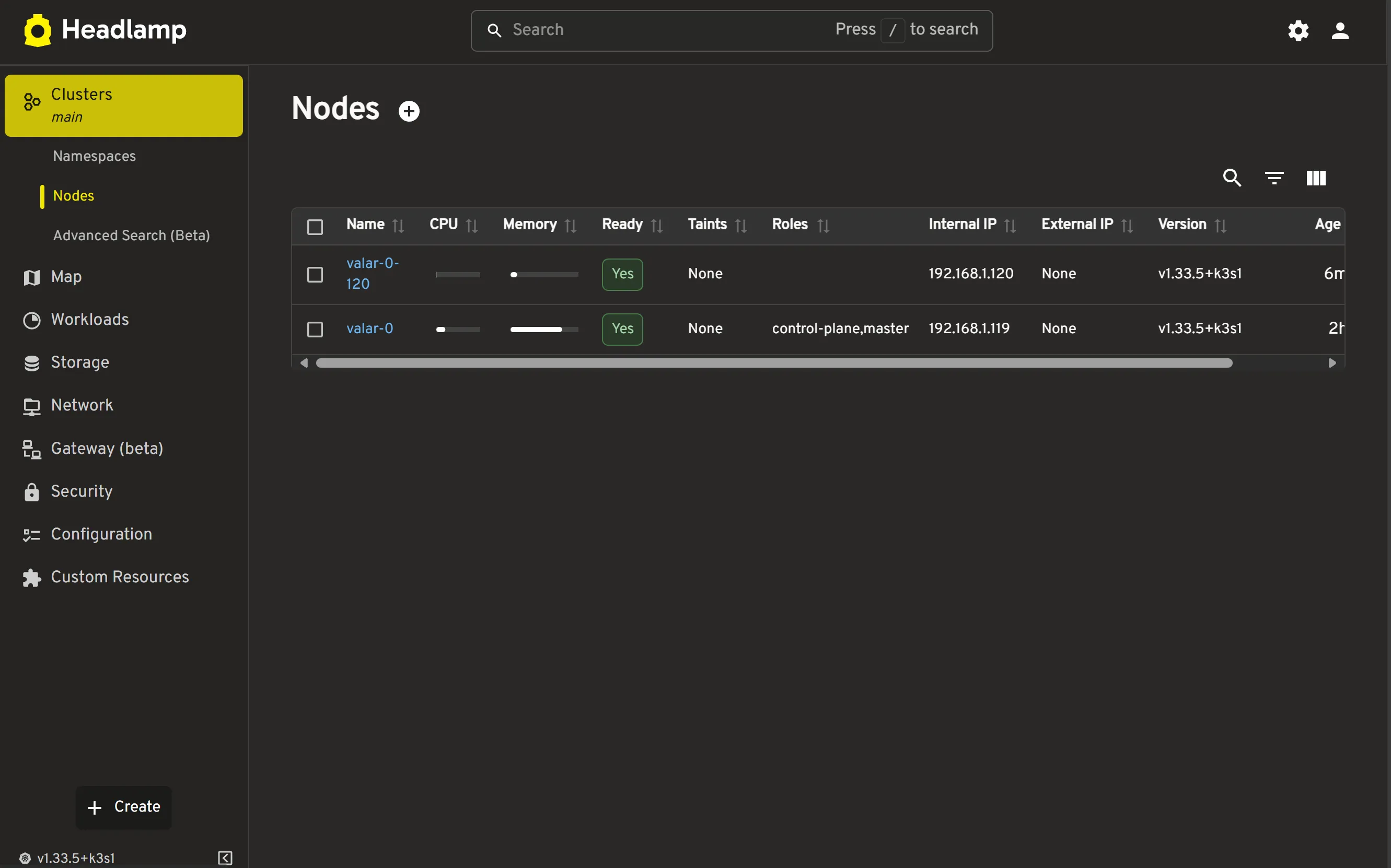
Section titled “Operational notes”If the leader disappears and everything reboots, the election simply runs again and the control-plane is rebuilt. Headlamp will show roles as soon as agents appear; expect a short lag while the leader writes out fresh tokens.
Next Steps
Section titled “Next Steps”- Tune tokens and flags via
/run/k3s-bootstrapfiles if you need different install args. - Add or trim manifests in
/etc/k3s-manifeststo control what lands on first boot. - Pair with
preparing-cluster-environment.mdto keep ephemeral roots healthy.